
I have a subscription, how do I select my curriculum?
Select the “Redeem with 1 point” button below the curriculum you wish to make available. (You do not have to select all of your curriculum at once. Your credits will be valid for the full year of your subscription.)
Your credit balance is listed at the top of your dashboard. As you select curriculum, the balance will decrease.
I have a subscription, how do I manage my facilitator licenses?
Only team leaders can manage (add or remove) facilitators. On the “Home” page you will see an option to “Manage Facilitators.” Once you open this page, you will see “Manage Team” on the left and “Add Members” on the right. If you have not added any members, then the left tab will be empty. Once you add members, they will be listed here. 
When you select the team member, you can see when they last logged in, download their facilitator certificate, or remove from the team.
Select “Add Members” to add facilitators to your team. You can add facilitators the following ways:
- Batch upload from a CSV file.
- Enter each name and email address in the form fields.
As you add or remove facilitators, your number of licenses available will update. If you need additional facilitators, you can purchase additional seats. Please email info@creatingafamily.org.
How do I download my certificate for the facilitator training?
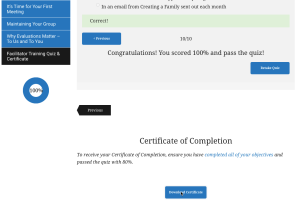
You must complete all of the outlined objectives and successfully pass the quiz. Some objectives will be marked complete once finished (e.g., completing a video), while others must be manually marked complete.
Once your objectives are complete and your quiz successfully passed, a “download certificate” button will appear below the quiz. You will also see that the progress circle to the left is 100%. If you do not show 100%, return to the first page to determine which of your objectives remain incomplete. IMPORTANT: be sure you have accepted the terms and conditions on page 1.
How long do I have access to the curriculum?
Whether you purchased a single curriculum, a 5 – or a 10 – curricula package, access is for 1 year.
Facilitator access is based on the account administrator. If the account administrator does not renew the curricula, the facilitators will lose access.
Who do I contact if I have a question?
If you have any questions, please email info@creatingafamily.org.
Can I purchase additional facilitator licenses?
Each curriculum account includes two facilitators seats. If you need to increase your team size, please email info@creatingafamily.org.
All additional seats purchased will have access to the same curriculum as current facilitators. If you need a different arrangement, please email info@creatingafamily.org with your needs. All curricula will expire when current subscription access expires, and all listed facilitators will have access removed.
I have a subscription, can I add another curriculum to my account?
For 5-curricula and 10-curricula subscription holders, additional curriculum can be purchased at the package discount ($125/each for 5-curricula package and $100/each for 10-curricula package). All additional credits purchased will expire when current subscription access expires, and credits will reset to zero.
Please email info@creatingafamily.org to purchase additional credits to add more curriculum to your account.